PostgreSQL for macOS
PostgreSQL GUI for Mac
Browse tables, inspect data, run queries, and move between local and remote PostgreSQL databases in one clean desktop app.
Pay once, use it forever — no subscription
7-day free trial · Apple Silicon and Intel · No credit card
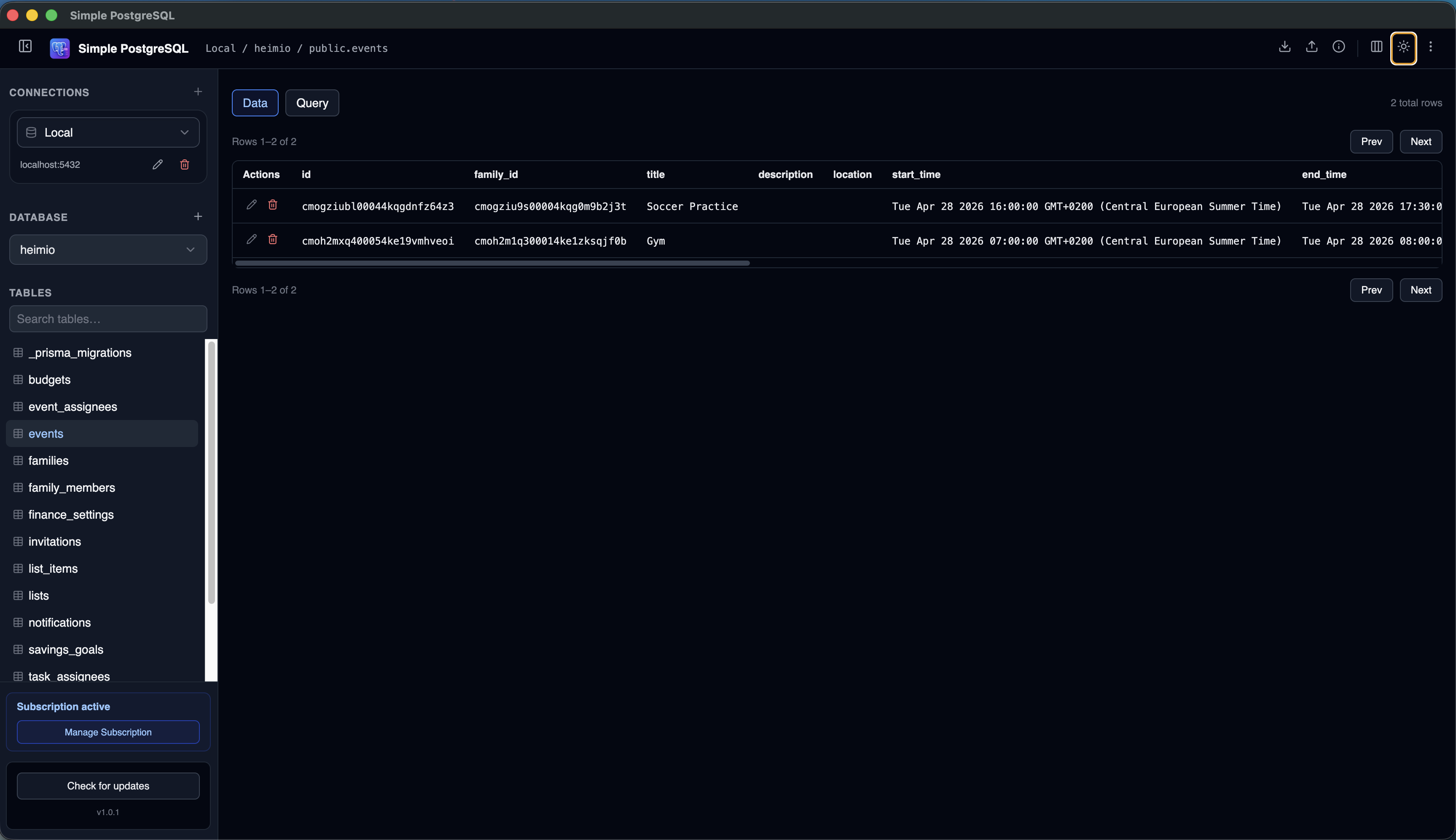
Working directly from the PostgreSQL command line is powerful.
But for most day-to-day database work, a graphical interface is faster, easier, and less error-prone. Whether you are browsing tables, inspecting data, running queries, or managing multiple databases, a PostgreSQL GUI can significantly improve your workflow.
Simple PostgreSQL was built to give developers quick access to their PostgreSQL databases without the complexity of a traditional database administration tool.
Still evaluating your options? See the 2026 PostgreSQL client comparison for Mac.
Connecting to hosted databases? See guides for Supabase, Neon, Heroku Postgres, and remote PostgreSQL connections on Mac.
Why Use a PostgreSQL GUI?
PostgreSQL includes excellent command-line tools, and many developers use psql every day. A visual
PostgreSQL client complements those tools by making common exploration tasks easier.
Common Problems With Existing PostgreSQL Tools
Developers often encounter the same tradeoffs when evaluating PostgreSQL clients for Mac.
Too many features
Tools that support every database engine can turn simple PostgreSQL work into an overwhelming interface.
Slow startup
A large application can feel unnecessary when all you need is to check a table or run a quick query.
Complex navigation
Tables, views, schemas, and indexes should be easy to find instead of buried behind layers of menus.
What Makes a Good PostgreSQL GUI?
A good PostgreSQL client should make the tasks you perform most often feel immediate.
Connect to local databases
View and manage the PostgreSQL databases used for development on your Mac.
Connect to remote databases
Work with development, staging, production, and managed PostgreSQL environments.
Browse tables
Explore rows and columns without writing SQL for every inspection task.
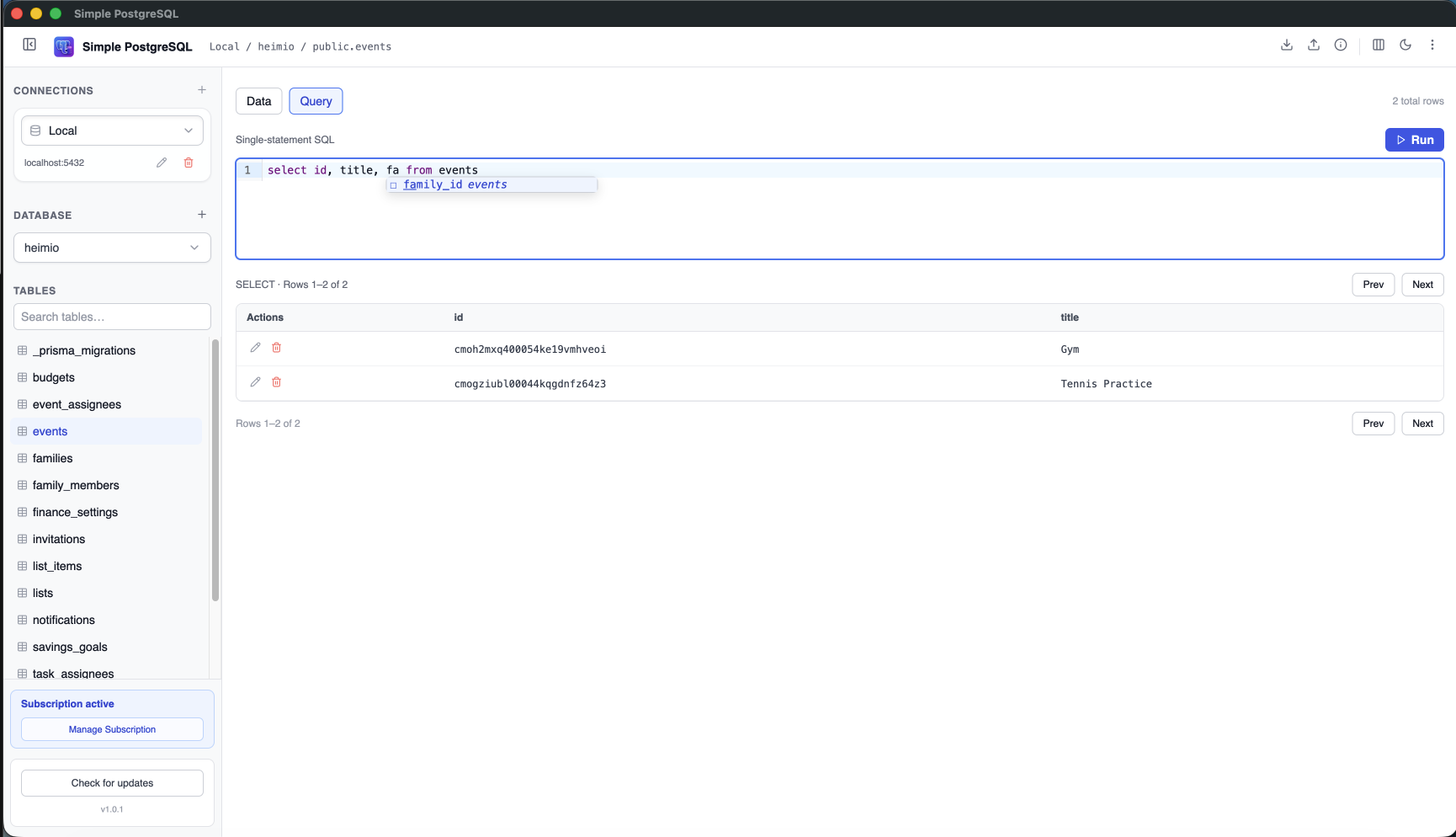
Run queries
Execute SQL statements with autocomplete and review paginated results instantly.
Manage multiple connections
Switch between projects without repeatedly entering connection credentials.
If CSV is part of your workflow, read the guide to export PostgreSQL to CSV on Mac.
Local and Remote PostgreSQL Connections
Modern development rarely happens on a single machine. You may use a local database while building a feature, a shared staging database for testing, and a managed PostgreSQL service in production.
A useful PostgreSQL GUI should make moving between those environments simple. Simple PostgreSQL keeps your local, cloud-hosted, Heroku Postgres, and other managed PostgreSQL connections together in one sidebar.
A focused alternative
Why I Built Simple PostgreSQL
I found myself repeatedly opening large database tools to perform very simple tasks. Most of the time I just wanted to see my databases, browse a table, run a query, or check some data.
Many tools felt designed for database administrators managing enterprise systems. I wanted something focused on everyday PostgreSQL development. That is why Simple PostgreSQL exists.
Who Is Simple PostgreSQL For?
Software developers
Quickly inspect and manage PostgreSQL databases while building applications.
SaaS founders
Monitor application data without adopting complicated administration tooling.
Freelancers
Keep multiple client database connections organized in one desktop app.
PostgreSQL beginners
Explore databases visually while building confidence with SQL and PostgreSQL concepts.
Frequently Asked Questions
What is the best PostgreSQL GUI for Mac?
The answer depends on your workflow. Popular options include Postico, TablePlus, pgAdmin, and Simple PostgreSQL. The best choice is usually the one that makes your common database tasks easiest.
Can I connect to remote PostgreSQL databases?
Yes. Simple PostgreSQL supports local and remote PostgreSQL database connections.
Can I manage multiple PostgreSQL databases?
Yes. You can store multiple connections and switch between them from one desktop application.
Does Simple PostgreSQL require PostgreSQL to be installed locally?
No. You can connect to remote PostgreSQL instances without installing a PostgreSQL server on your Mac.
A PostgreSQL GUI should simplify database work.
If you spend most of your time browsing tables, inspecting data, and running queries, try a PostgreSQL desktop client built around that workflow.
Download Simple PostgreSQL for Mac 7-day free trial · No credit card required